
Once the direct debit has been processed, you can easily download the full invoice specification in the One2Pay admin portal.
This specification contains all the details you need for your administration and VAT processing, giving you a complete overview of your transactions.
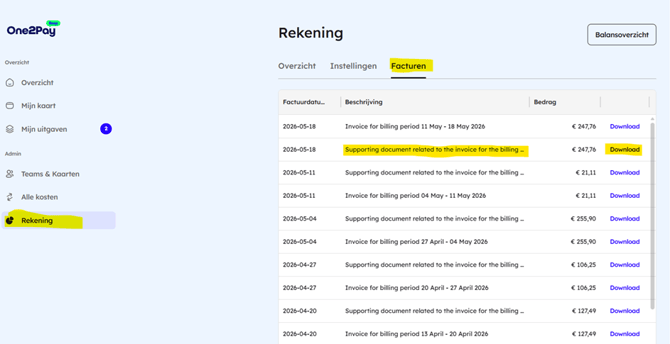
How to download the invoice specification:
- Go to the One2Pay portal
- Log in with your credentials
- Go to Account in the left-hand menu
- Open the Invoices tab
- Click Download next to the relevant document
- The “supporting document” is the invoice specification
Please note:
The specification is downloaded as a CSV file, which can easily be converted into a readable Excel file.
Convert CSV to Excel:
- Open the file in Excel
- Select column A
- Go to Data → Text to Columns
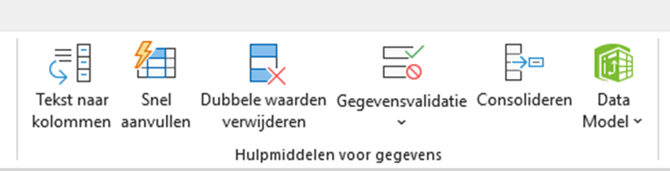
- Choose Delimited and click Next
- Select Comma as the separator
- Click Finish
You now have a clear Excel file with all transactions.